Types of Events and Tasks
There are two classifications of Tasks and Events in PlanaCan that can be scheduled - Harvest Events, and Task Group Events.
Harvest Events are always associated with a specific Harvest. They'll also show up in the individual Harvest Detail list of Events.
Task Group Events by definition, aren't specific to an individual Harvest. They are events that happen grow-wide, like a clean, room flip, or managers meeting.
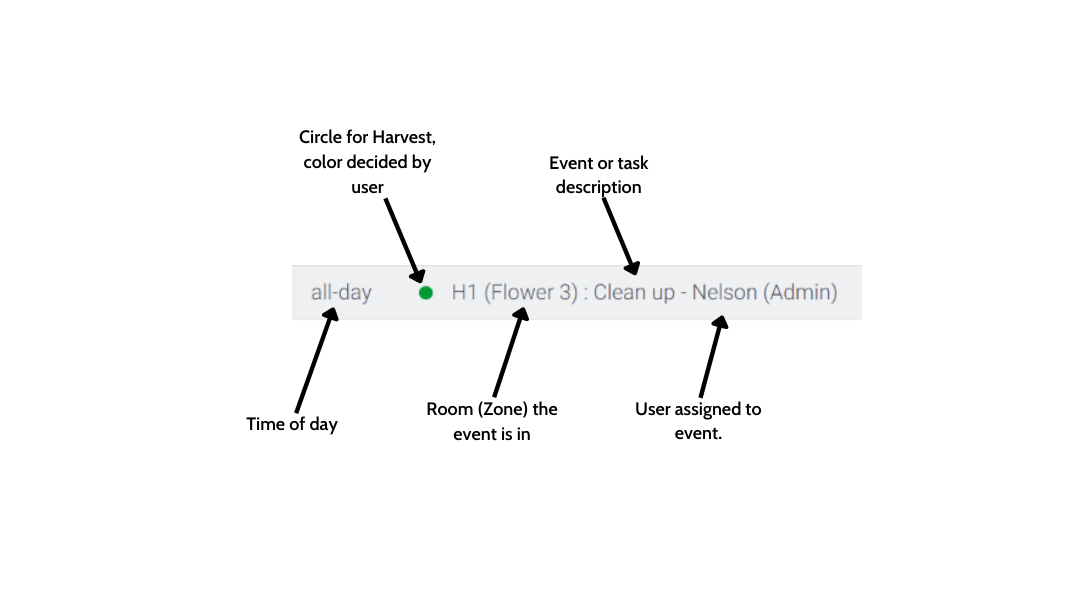
The different parts of a Harvest Event
When you view a Harvest event after it has been scheduled in the Calendar, there are multiple parts to it that identify it:
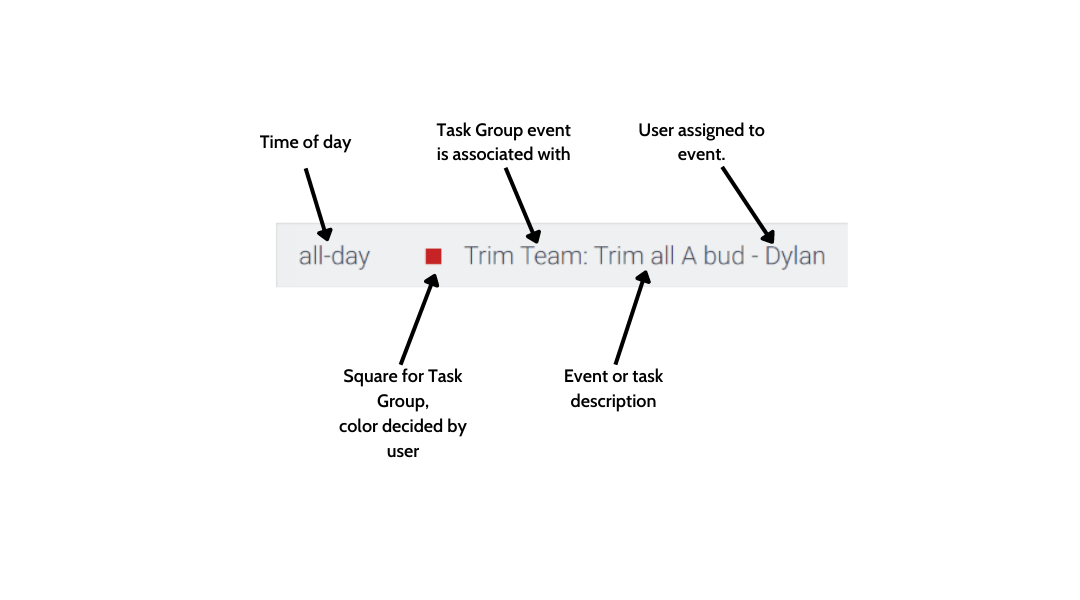
The different parts of a Task Group Event
There are also different parts to a Task Group Event on the calendar. Most of the information is the same as a Harvest Event, except the square identifier:
Event Detail Popup
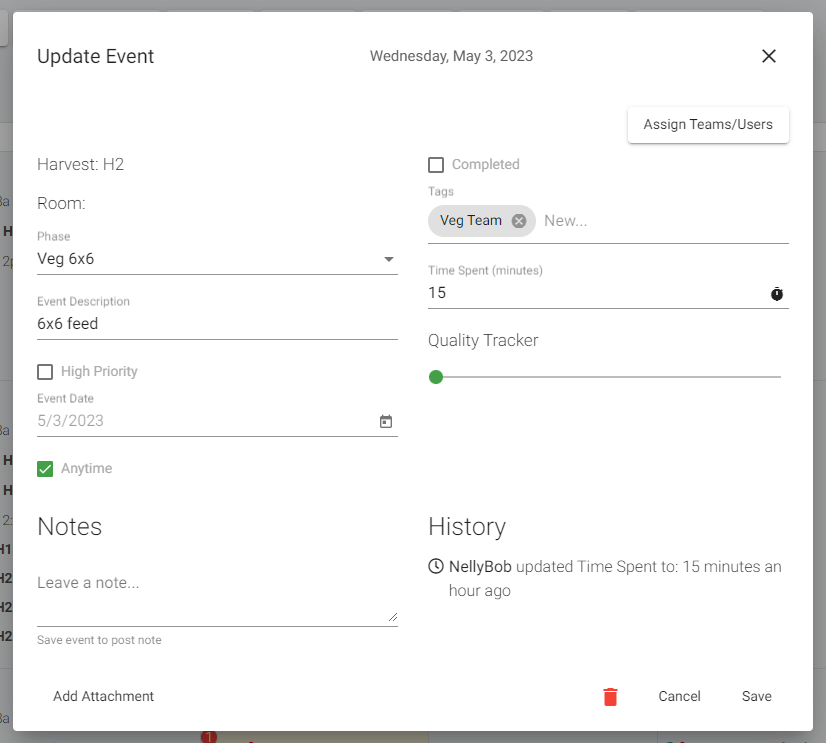
Once an Event is clicked, you can view all of the information associated with it. Remember, much of this info comes from the Template you create.
The Event detail is also where you'll complete tasks, while noting all the important information associated with completing it.
Things like filling out time spent, leaving a note for context, and also viewing if someone has already done it are all things you can do from the Event Detail.
Adding additional Harvest Tasks and Events
Once a Harvest is scheduled, it will pull in every Event from the Template, and populate it on the calendar starting from your chosen date, and automate each event all the way through to the last day totaled in the Template. It's important to note: you must create a Template in order to create a Harvest.
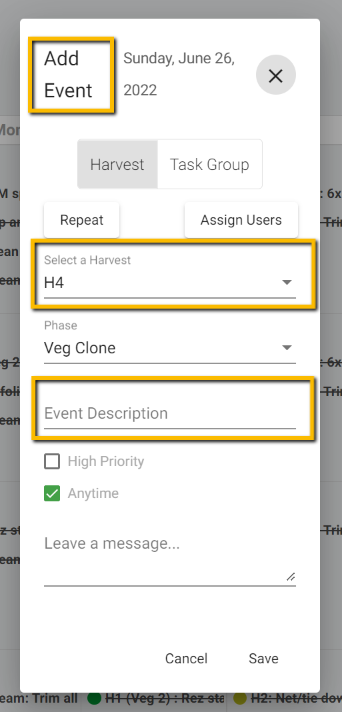
After a Harvest is created however, you can then add additional tasks on the Calendar by clicking in the empty grey space on the day you'd like to schedule the task. You can see the date, and the Harvest the task is associated with below.
Be sure to add a description so everyone knows what needs to be done!
Adding Task Group Events
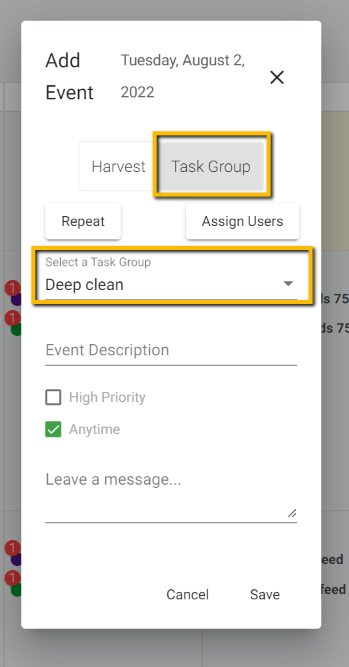
Task Groups, created the same way you'd create a Harvest, can then be added to the calendar by clicking on the grey space in a given day, then choosing Task Group instead of Harvest:
Moving Events - drag and drop
It's one thing to schedule Harvests, it's another to adjust and move Events as things change day to day in the grow. The easiest way to shuffle events is to simply drag and drop from one day to the next:
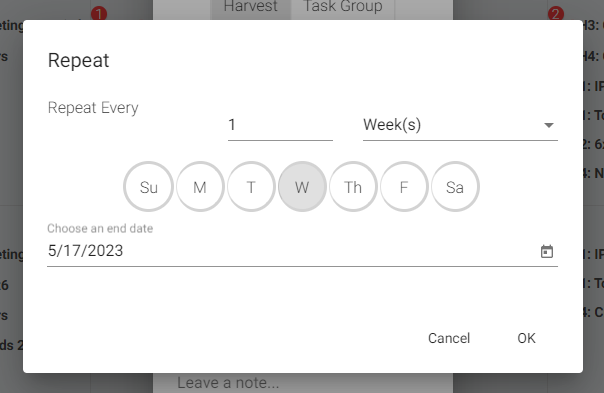
Repeating Events
For any new event you add to a Harvest, or a Task Group, you can also repeat it. Below is a screenshot of the different options you have.