
Schedule and automate work that's done grow-wide, not just for one Harvest
Task Groups Definition
Table of Contents
Task Groups are groups of Events that are specifically not associated with an individual Harvest's tasks.
An example of a Task Group might be a Cleaning Team, or a Managers Meeting.
All Task Group Events are excluded from the Harvest Detail list of Events. They have their own tab, where you can view each of your Task Groups, and their associated Events.
Creating a new Task Group
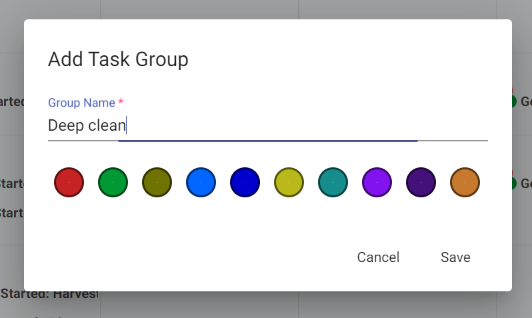
Below is a screen shot of how to add a new Task Group type. Add Task Groups under the same menu you add Harvests in the Calendar:
Adding Task Group Events
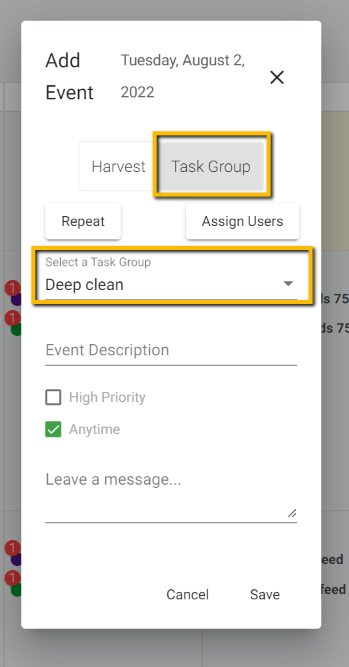
Once you've created your Task Group type, you can then add individual events, the same as you'd add a Harvest Event:
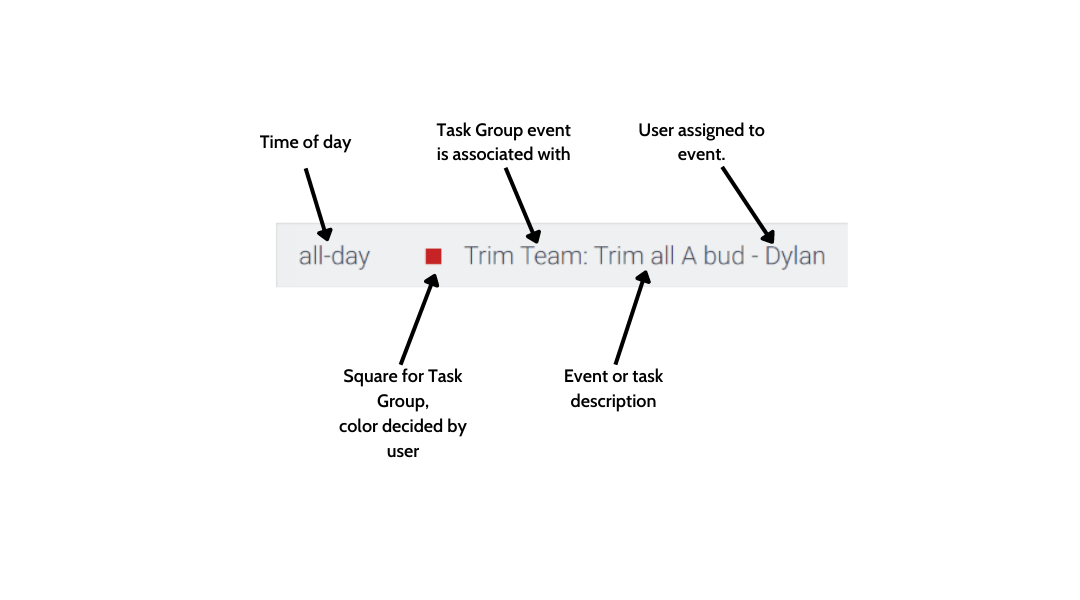
Once a Task Group Event is on the Calendar, it will appear with a square icon (circle icons note a Harvest Event):
Viewing all Task Groups, and their Events
To view all active Task Groups, and manage them, click the Task Groups tab on the left side of the Web App.
Once there, you'll be able to view each of the Task Group Types, and all Events that are scheduled for each for them:
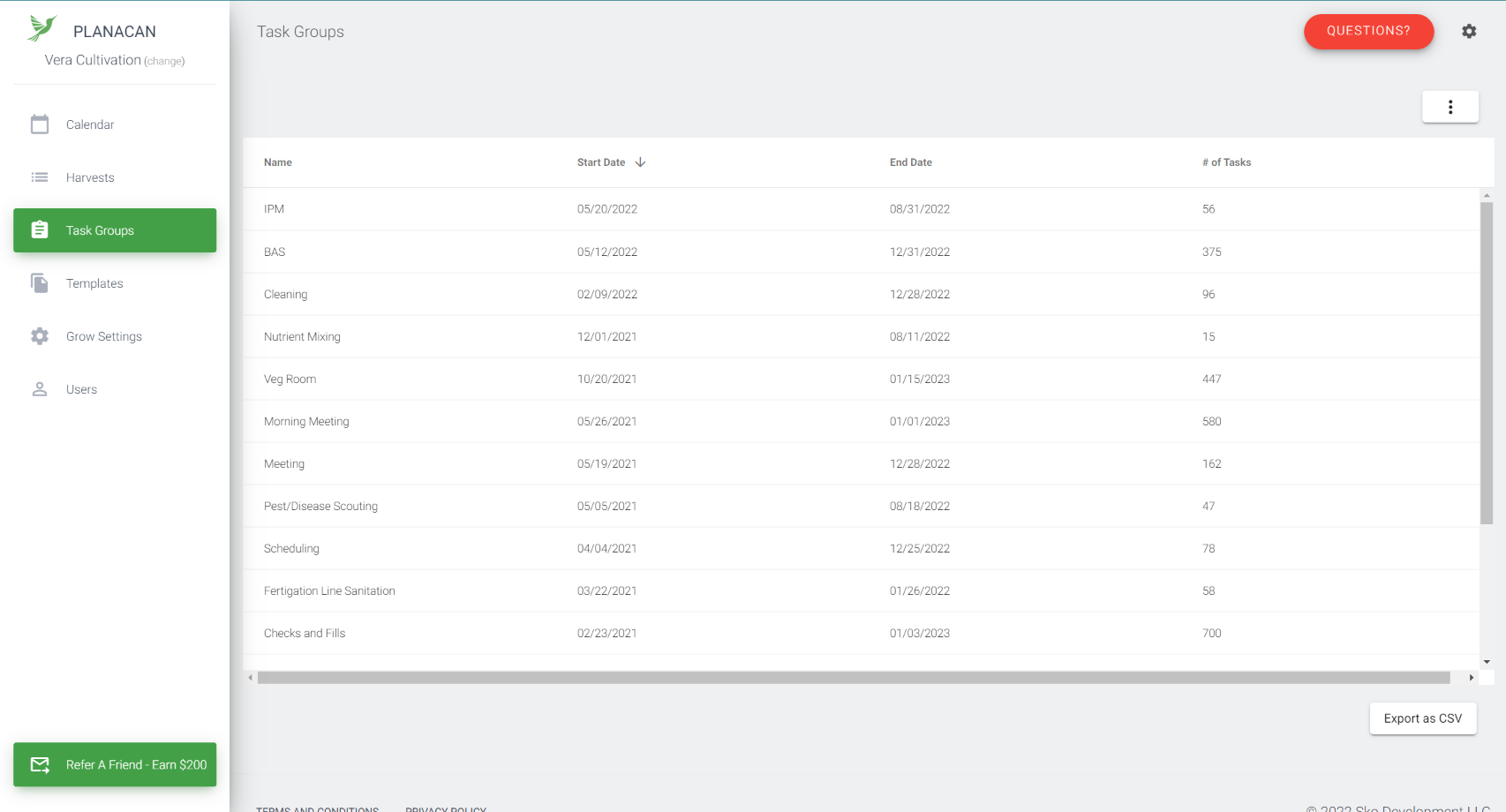
For each Task Group Type, you can double click, and also view the list of specific Events associated with them - much the same as a Harvest Detail:
The Takeaway
Remember, Task Group Events are not accounted for in the Harvest Detail page. They are designed to be used for work that needs to be done that happens grow wide, or to more than one Harvest.