
View, adjust, and track individual Harvests from beginning to end. Monitor plant count and room movement, and pull reports.
Table of Contents
Harvest List
The Harvests tab has multiple uses. From a birds eye view, you can track the start and end dates, and completion percentages for each of your Harvests:

Harvest Timeline
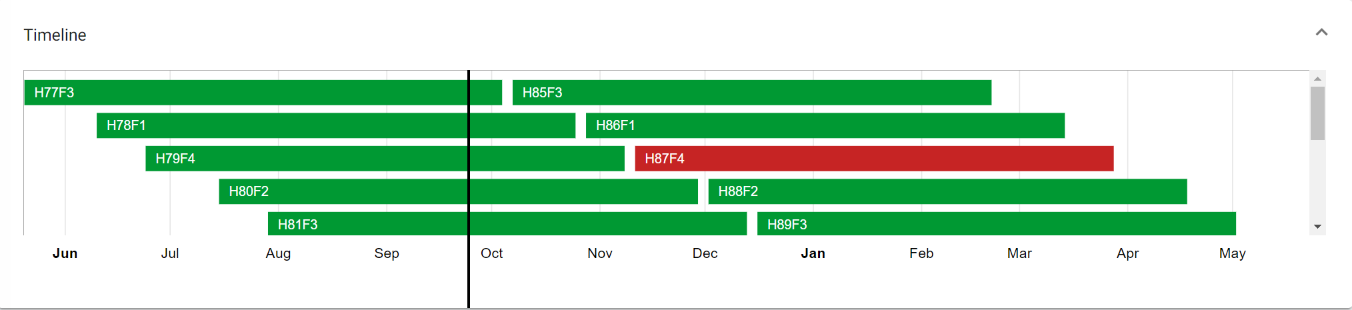
At the top of the Harvest list page, there's an expandable Timeline that shows where each of your Harvests are in relation to each other. This Gant chart helps growers visualize progression for each Harvest, and see the overall date (the vertical black line).
Harvest Detail
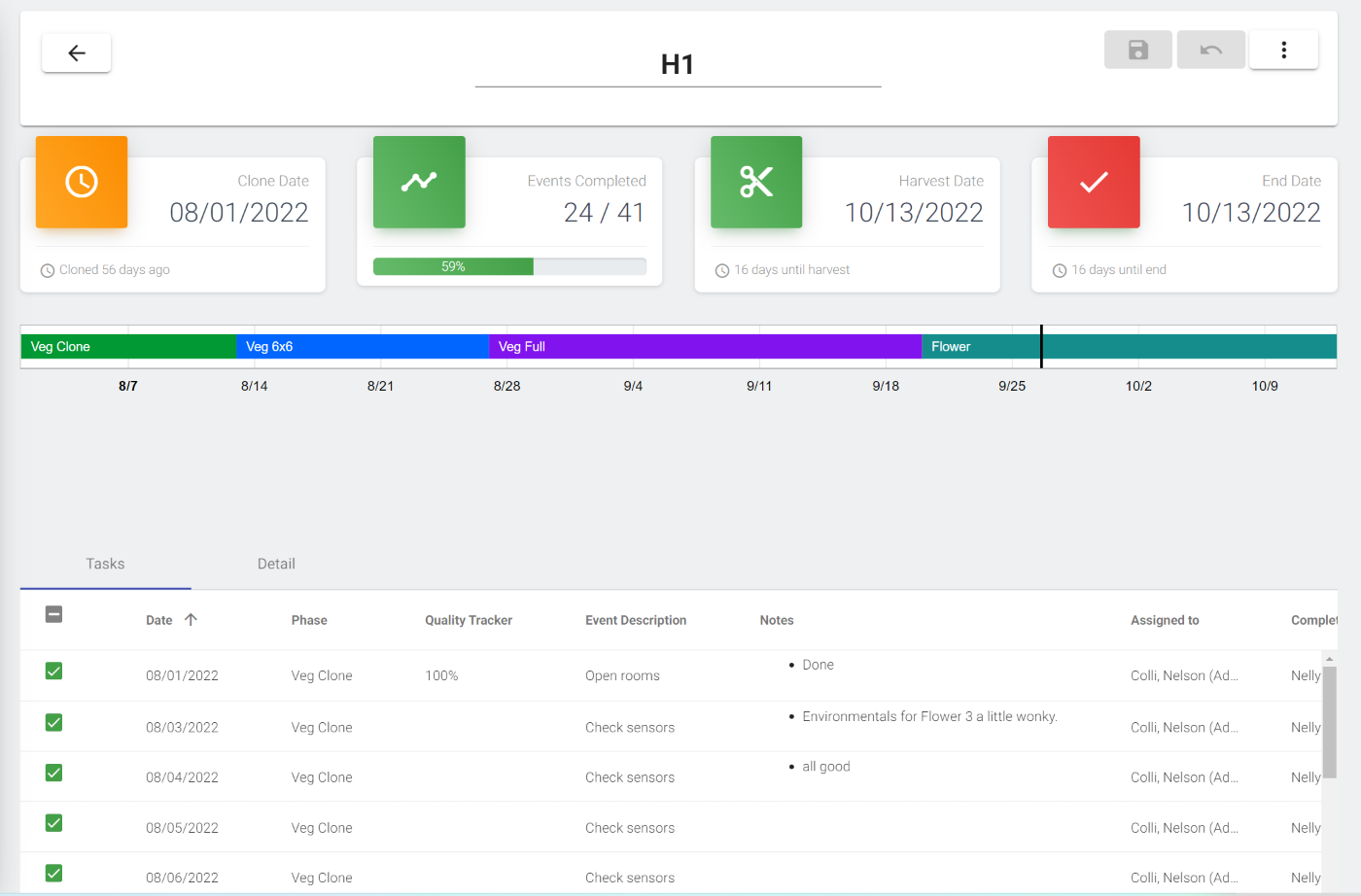
If you double click on a Harvest, you can view the details associated with it. At the top, you can see Important dates, and a timeline. Below that is a list of Events for that Harvest. Everything you can do for a Event in the Calendar, you can also do for an Event in the Harvest Detail:
Plant count and Zones
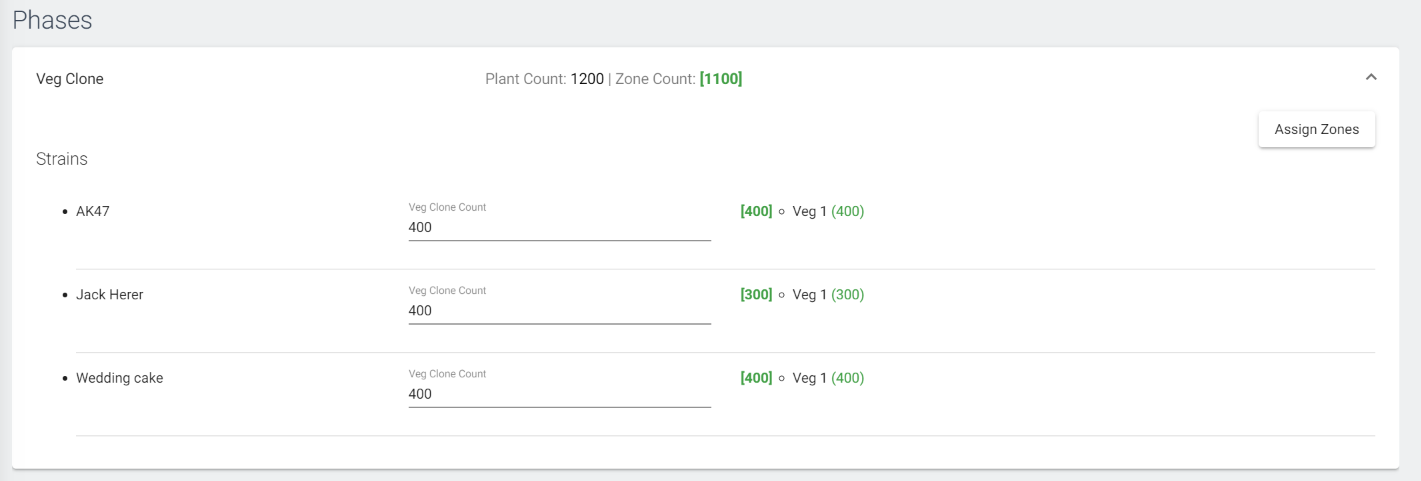
If you select the detail tab above, you can also enter your clone counts for each strain, and track attrition as your plants moves through each Phase of the Harvest.
Along with this, You can assign Zones for where a specific Harvest, and plant, is physically in the cultivation. Zones are completely custom, and are set up in the Grow Settings tab (for owner level accounts). Read more on Zones setup here.
Exporting Harvest data
If you'd like to sort Harvest data, at the bottom of the detail, there's an option to download information as a .csv. This is useful for collecting data from each Harvest, over time, and detecting trends between labor, environmentals, etc.